How to Advertise on Facebook in 2026: A Beginner’s Guide to Meta Ads
- Author
- PrimeSpy Research Team
- Published
- Jun 24, 2026
- Updated
- Jul 1, 2026

Summary: Facebook advertising in 2026 starts with choosing the right campaign objective, audience, budget, creative, tracking setup, and landing page. This beginner’s guide explains how to build your first Meta Ads campaign, measure performance, and fix common problems before wasting budget.
If you are learning how to advertise on Facebook, the real challenge is making the right decisions inside Meta Ads Manager.
Meta asks you to make a chain of decisions: objective, audience, budget, placements, creative, tracking, destination, and optimization event. Each choice looks small. Together, they decide whether your ad budget goes toward buyers, leads, random clicks, or nothing useful at all.
This guide is for beginners who want a practical starting point. You will learn how Facebook advertising works, how to build your first campaign, what budget to start with, how to measure performance, and what to fix when results look wrong.
Quick Answer: How Do You Advertise on Facebook?
To advertise on Facebook, create or connect a Facebook Page, set up an ad account in Meta Ads Manager, choose a campaign objective, define your audience, set your budget and schedule, create your ad, add tracking, and publish the campaign for review.
The basic process looks like this:
- Create or verify your Facebook Page.
- Set up Meta Business Suite or Business Portfolio.
- Create an ad account and add a payment method.
- Open Meta Ads Manager and start a new campaign.
- Choose an objective, such as sales, leads, traffic, engagement, awareness, or app promotion.
- Set your audience, budget, schedule, and placements.
- Build the ad with creative, copy, headline, call to action, and destination.
- Confirm tracking with the Meta Pixel or Conversions API.
- Publish the campaign and watch the first few days of delivery.
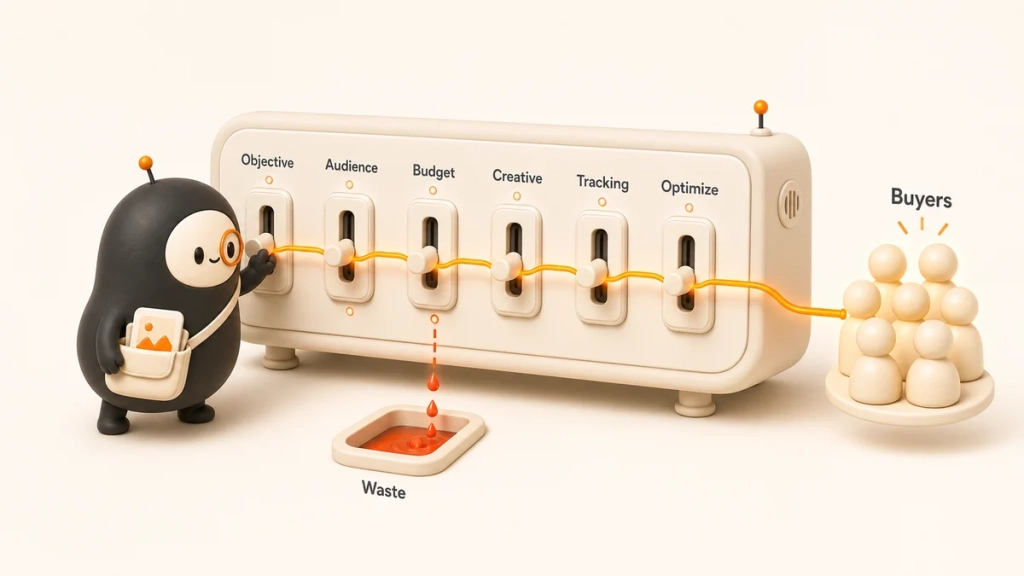
That is the short version. The sections below explain how to make those choices without guessing.
Facebook Advertising Basics
Facebook ads are paid placements that can appear across Meta technologies, including Facebook, Instagram, Messenger, and the Audience Network. Depending on your objective and placements, your ad can show in feeds, Stories, Reels, search results, Marketplace, Messenger inboxes, and other surfaces.
Most people still say “Facebook ads,” but the tool is now Meta Ads Manager. That matters because you are usually buying access to Meta’s broader delivery system, not Facebook-only inventory.
Facebook Ads vs. Boosted Posts
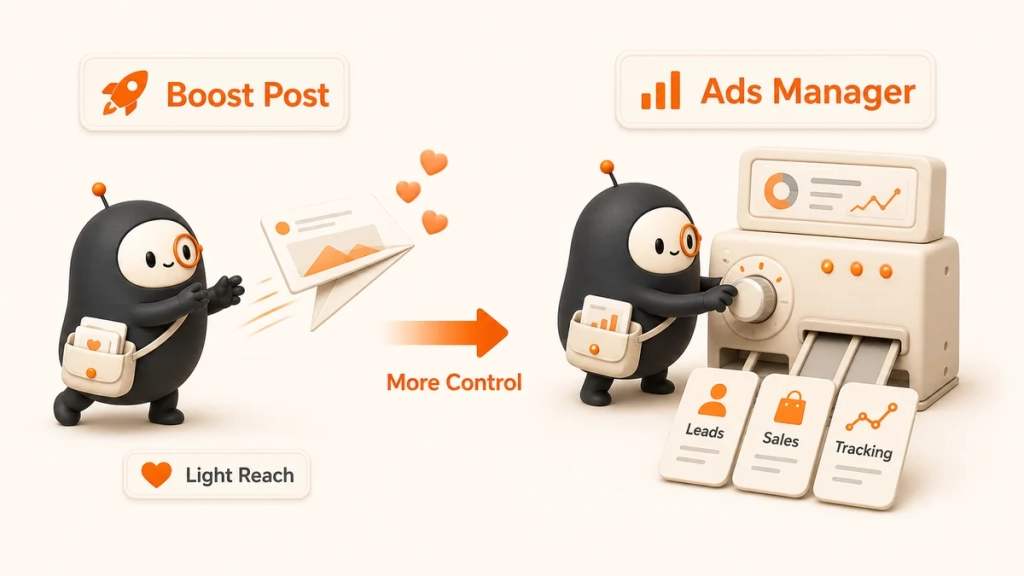
A boosted post is the quick version of advertising from your Facebook Page. You choose an existing post, add a budget, pick an audience, and promote it. It is easy, but the control is limited.
Ads Manager gives you more control over objectives, targeting, campaign structure, creative testing, placements, tracking, and reporting.
| Situation | Better Choice |
| Promote a strong organic post | Boosted post |
| Generate leads | Ads Manager |
| Drive purchases | Ads Manager |
| Test multiple ads | Ads Manager |
| Retarget website visitors | Ads Manager |
Use a boosted post when you want light engagement on a post that is already working. Use Ads Manager when you care about leads, sales, bookings, trials, or anything you need to measure.
How Facebook Ads are Structured?
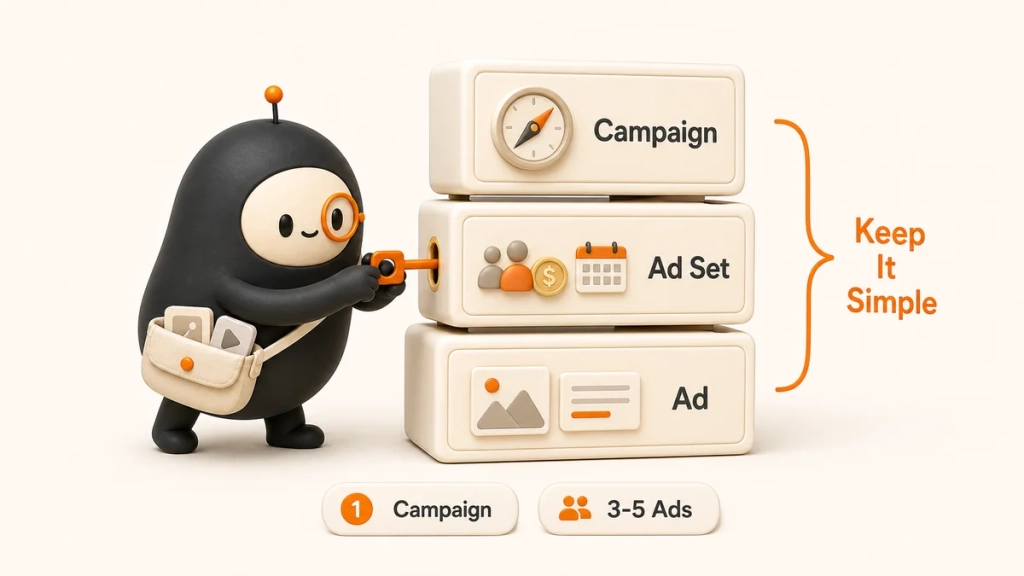
Meta Ads Manager has three levels: campaign, ad set, and ad.
At the campaign level, you choose the objective. This tells Meta what result you want.
At the ad set level, you choose the audience, budget, schedule, placements, and optimization event.
At the ad level, you create what people see: image, video, carousel, copy, headline, call to action, and destination URL.
| Level | Main Question |
| Campaign | What do I want this campaign to achieve? |
| Ad Set | Who should see it, where should it run, and how much should I spend? |
| Ad | What message and creative should people see? |
For a first campaign, keep the structure simple. One campaign, one or two ad sets, and three to five ad variations is enough to learn.
Setup Checklist Before You Spend Money
Good setup will not make a weak offer succeed, but bad setup can make a good offer impossible to measure.
Start with your Facebook Page. It should look like a real business: correct name, profile image, cover image, description, website, contact details, and recent posts. People often click from ads to your Page before they trust you.
Next, set up Meta Business Suite or Business Portfolio. This gives you one place to manage your Page, ad account, people, permissions, Instagram account, and business assets.
Then create your ad account, add a payment method, and assign the right roles. If an agency, freelancer, or team member needs access, give them permissions instead of sharing passwords.
Tracking Setup
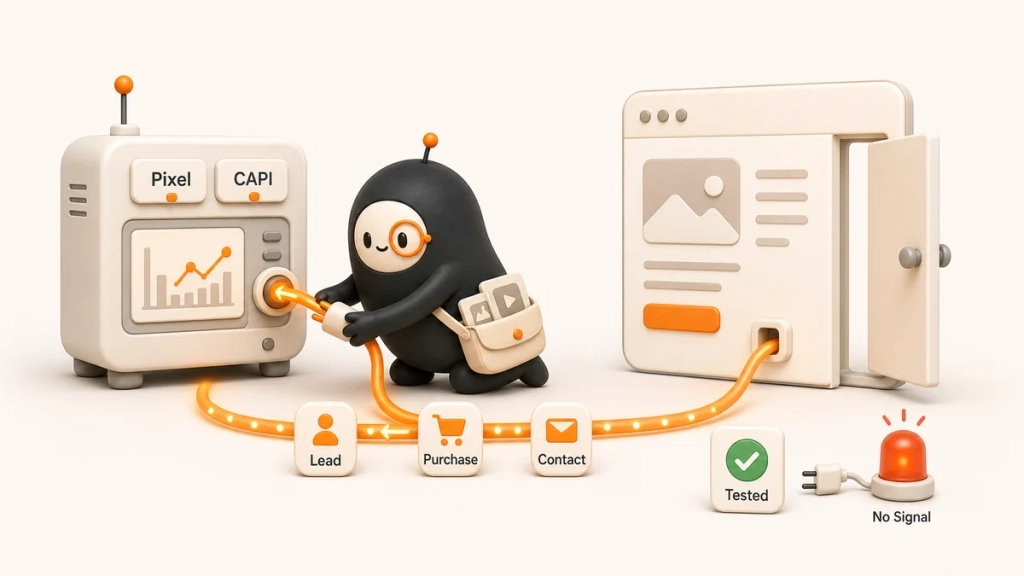
If you want leads or sales, set up tracking before launch:
- Install the Meta Pixel on your website.
- Set up the Conversions API if your platform supports it.
- Verify your domain.
- Choose the events you want to track, such as Lead, Add to Cart, Purchase, Contact, or Complete Registration.
- Test that events fire correctly.
You can run ads without perfect tracking, but you will make weaker decisions. For sales and lead generation, tracking is the feedback loop.
How to Build Your First Facebook Ad Campaign?
Building your first campaign is mostly about making a few clear choices and resisting the urge to overcomplicate the account.
Step 1: Choose the Right Campaign Objective
Your campaign objective tells Meta what to optimize for. Pick the objective that matches the business result you actually want.
| Goal | Recommended Objective |
| Sell products online | Sales |
| Get quote requests | Leads |
| Book consultations | Leads or Sales |
| Promote a local event | Engagement or Awareness |
| Send people to a blog post | Traffic |
| Retarget warm visitors | Sales or Leads |
| Drive app installs | App Promotion |
Choose sales if you want purchases, bookings, or other website conversion events. Choose leads if you want people to submit contact details, call, message, or fill out a form. Choose traffic if visits are the goal, but be careful: cheap clicks do not always become customers.
Step 2: Define Your Audience
Facebook ad targeting includes broad targeting, detailed targeting, custom audiences, lookalike audiences, and retargeting.
Broad targeting gives Meta room to find likely buyers or leads. Detailed targeting uses interests, behaviors, or demographic signals. Custom audiences let you reach people who already interacted with your business. Lookalike audiences find people similar to your customers or leads. Retargeting focuses on warm audiences, such as website visitors, video viewers, or past purchasers.
Beginners often make audiences too narrow. If your budget is small, each ad set needs enough people and enough spend to learn. A good starting point is one broad audience, one warm retargeting audience if you have traffic, and one lookalike audience if you have enough real customer data.
If you advertise in credit, employment, housing, politics, elections, or social issues, check whether you need a Special Ad Category. These categories change what targeting options are available.
Step 3: Set Your Budget and Schedule
You can use a daily budget or a lifetime budget. Most beginners should start with a daily budget because it is easier to control.
| Daily Budget | What to Expect |
| $5 per day | Useful for tiny tests or boosting, but too slow for serious learning. |
| $10 per day | Can produce early signals in some local or low-cost markets. |
| $20 to $50 per day | A more practical range for beginner testing. |
| $50+ per day | Better for faster creative testing and cleaner data. |
Meta campaigns go through a learning phase while the system figures out who is likely to take your desired action. Editing too often can disturb that learning. For many campaigns, three days gives early signals and seven days gives a better first read.
Step 4: Choose Placements
Placements control where your ads appear. Advantage+ placements let Meta choose across available placements, such as Facebook Feed, Instagram Feed, Stories, Reels, Messenger, and Audience Network.
For most beginners, Advantage+ placements are a sensible starting point. Manual placements make sense when your creative only fits a specific format or your data shows that certain placements waste spend.
Step 5: Create the Ad
Choose an ad format that fits the offer:
- Image ads work for simple offers, local services, and clear product shots.
- Video ads help when you need to explain, demonstrate, or build trust.
- Carousel ads show multiple products, features, steps, or use cases.
- Lead ads collect information inside Meta.
- Messenger ads start conversations with prospects.
Good Facebook ad copy usually answers five questions: Who is this for? What problem does it solve? What is the offer? Why should someone trust it? What should they do next?
Use a simple creative framework:
| Part | Purpose | Example |
| Hook | Stop the scroll | “Still chasing invoices every Friday?” |
| Problem | Name the pain | “Manual follow-ups eat hours and still miss people.” |
| Offer | Show the fix | “Send automated invoice reminders from one dashboard.” |
| Proof | Reduce doubt | “Used by 1,200 small finance teams.” |
| CTA | Tell them what to do | “Start a free trial.” |
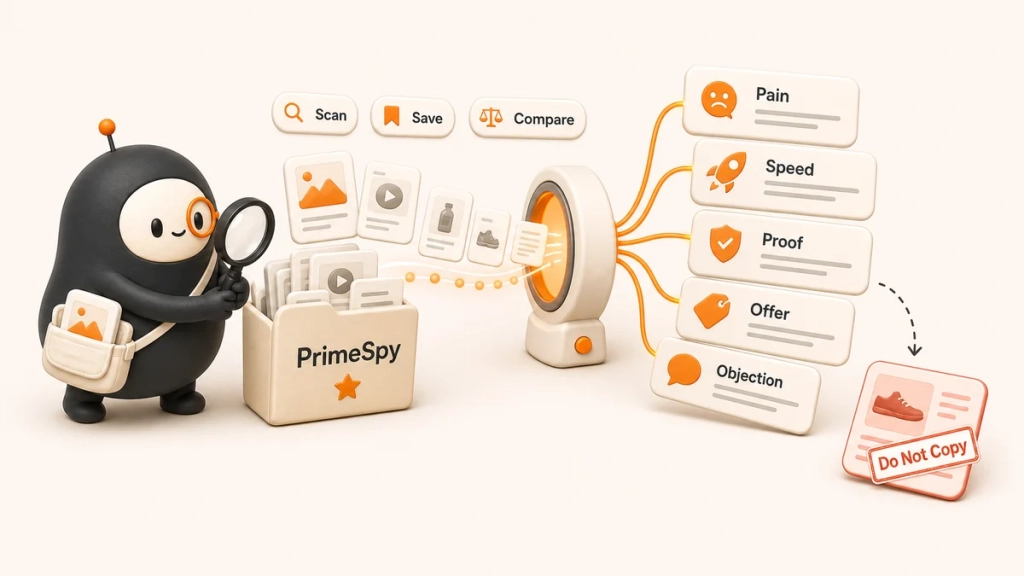
Do not test five tiny variations of the same message. Test angles: pain, speed, proof, offer, comparison, or objection handling. Before inventing angles from scratch, review active ads in your niche. PrimeSpy can help scan Facebook, Instagram, and TikTok ad examples and save ideas. Use it for pattern spotting, not copying.
Step 6: Build the Landing Page
If your ad sends people to a website, the landing page has to continue the same promise. If the ad says “get a free quote,” the page should make the quote easy to request.
A good landing page has a clear headline, one main call to action, short form fields, trust signals, mobile-friendly design, fast load time, and tracking events that fire correctly. If people click but do not convert, check the page before blaming the ad.
What to Do after Publishing?
Before you publish, review the campaign like someone spending real money. Check the objective, audience, budget, placements, ad previews, destination URL, and tracking events.
After publishing, the ad enters review. Once it is approved, give the campaign time to deliver. The first day can be uneven.
First 24 Hours
Check whether the campaign is spending, the ad was approved, the link works, and tracking events are coming through. Fix obvious errors quickly.
First 3 Days
Look for early signs. Is the CPM unusually high? Is CTR very low? Are people clicking but not converting? Are comments revealing confusion or objections?
First 7 Days
Make clearer decisions. Pause ads with poor results, keep ads with promising cost per result, and create new variations based on what you learned. If something is working, scale slowly. Sudden budget jumps can disturb delivery.
How to Measure Facebook Ad Performance?
The right metrics depend on the objective. Awareness campaigns need reach, frequency, CPM, and video views. Traffic campaigns need CTR, CPC, landing page views, and on-site behavior. Lead campaigns need cost per lead, lead quality, and close rate. Sales campaigns need cost per purchase, conversion rate, revenue, ROAS, and average order value.
| Metric | What It Means |
| CPM | Cost per 1,000 impressions |
| CPC | Cost per click |
| CTR | Percentage of people who clicked |
| Cost per lead | How much you paid for each lead |
| Cost per purchase | How much you paid for each purchase |
| Conversion rate | Percentage of visitors who converted |
| ROAS | Revenue generated for each dollar spent |
| Frequency | Average times each person saw the ad |
Do not judge a campaign by one metric alone. A low CPC is not useful if the leads are poor. A high CPM may be fine if conversion rate is strong. The business result matters more than a nice-looking dashboard.
Troubleshooting and Optimization
When a Facebook ad underperforms, do not change everything at once. First, find where the problem sits: delivery, attention, conversion, or economics.
Quick Diagnosis Table
| Symptom | Likely Cause | First Fix to Try |
| Ad is approved but not spending | Audience too small, budget too low, payment issue, schedule problem, bid limit | Check delivery settings, payment, audience size, and rejection notices |
| CPM is high | Competitive audience, narrow targeting, weak engagement, tired creative | Broaden the audience or test a stronger opening creative |
| CTR is low | The hook, visual, or offer is not earning attention | Test a clearer promise, stronger image or video, or more specific angle |
| Clicks are coming but conversions are weak | Landing page mismatch, slow page, confusing form, weak trust signals | Improve the landing page before rebuilding the campaign |
| Cost per lead is high | Too much friction or too little perceived value | Shorten the form, strengthen the incentive, or test a lead ad |
| ROAS is low | Margin, offer, conversion rate, average order value, or retargeting problem | Work backward from profit, not just ad platform metrics |
| Frequency is high and results are falling | Audience fatigue | Refresh creative or expand the audience |
Use this order when you diagnose performance: delivery first, creative second, landing page third, economics last. It saves time because a campaign that is not spending does not need a new headline, and an offer with poor margins will not be fixed by a lower CPC.
A Simple 30-Day Testing Plan
Use the first month to learn instead of making random edits:
- Days 1 to 3: confirm approval, spend, tracking, and landing page performance.
- Days 4 to 7: compare early creative signals and pause anything clearly weak.
- Week 2: test new creative angles while keeping the audience mostly stable.
- Week 3: test a second audience or offer, such as broad targeting versus retargeting.
- Week 4: scale the best performer modestly and document what changed.
Track the objective, audience, budget, creative angle, offer, CTR, CPC, cost per result, conversion rate, lead or customer quality, and any changes you made.
How Much Do Facebook Ads Cost?
Facebook ads cost different amounts based on industry, audience, country, placement, objective, competition, seasonality, creative quality, and conversion rate. There is no universal price for a good lead or purchase.
Instead of asking only “What do Facebook ads cost?”, ask, “What can I afford to pay for the result I want?”
If you sell a $40 product with a 30% margin, your target cost per purchase is very different from a business selling a $3,000 service. Your economics decide what good performance means.
For lead generation, work backward. If one customer is worth $1,000, your close rate is 10%, and you want to spend no more than $300 to acquire a customer, your target cost per lead is about $30.
You can promote a business on Facebook for free through Page posts, Groups, Marketplace, Shops, reviews, livestreams, and customer sharing. Those tactics can help, especially for local businesses, but they are slower and harder to scale than paid campaigns.
Facebook Advertising Examples
- For a local service business, use a leads campaign with a simple quote request. Target the service area, use a clear offer, and send people to a short form or instant lead form. Track qualified leads, not just submissions.
- For an ecommerce store, use a sales campaign optimized for purchases. Start with broad targeting, strong product creative, and a fast mobile landing page. Retarget product viewers and cart abandoners once you have enough traffic.
- For B2B lead generation, use a leads or conversion campaign with a specific offer, such as a demo, consultation, calculator, checklist, or webinar. Keep the audience relevant, but not so narrow that delivery struggles.
- For retargeting, use a more specific message than your cold ad. Mention the product, objection, offer, or next step. Warm audiences already know something about you, so do not waste the impression introducing yourself again.
Frequently Asked Questions
Do I Need a Facebook Page to Run Ads?
Yes. You need a Facebook Page or connected business asset to run most Facebook ads. The Page represents your business in the ad.
Do I Need a Website to Advertise on Facebook?
No. You can run lead ads, Messenger ads, or Page-based promotions without a website. For ecommerce, bookings, and many services, a landing page gives you more control and better tracking.
How Much Should a Beginner Spend on Facebook Ads?
Many beginners start with $10 to $50 per day, depending on the goal. A tiny budget can help you learn, but it may not produce enough data to judge sales campaigns quickly.
How Long Does It Take Facebook Ads to Work?
You can get clicks or leads the first day, but judging performance usually takes longer. Give a new campaign at least three days for early signals and around seven days for a better first read.
Are Facebook Ads Still Worth It in 2026?
Facebook ads can still work when the offer is clear, tracking works, creative is strong, and the campaign objective matches the business goal. They struggle when vague ads send people to weak pages and the advertiser expects the algorithm to fix everything.
Should I Target Interests or Go Broad?
Start broader than you think, especially if you have conversion tracking. Use interest targeting when it reflects a real buyer signal, not just because it feels more controlled.
Why are My Facebook Ads Approved but Not Spending?
Common reasons include a tiny audience, low budget, payment issue, bid limits, scheduling problem, low estimated action rate, or too many competing ad sets.
What is a Good ROAS for Facebook Ads?
A good ROAS depends on your margin and customer lifetime value. A 2x ROAS may be profitable for one business and bad for another. Work from your own numbers.
In Conclusion
The simplest way to advertise on Facebook is to build one focused campaign around one business goal. Set up your Page, ad account, tracking, budget, audience, placements, and creative. Publish the campaign, let it gather data, then make decisions from results instead of nerves.
If you are new, do not try to master every feature at once. Launch a clean campaign, measure it for a week, and learn from what people actually do. Facebook ads get easier when you stop treating the platform like a slot machine and start treating it like a testing system.