Adbeat Review: Display Ad Intelligence Worth the Price?
- Author
- PrimeSpy Research Team
- Published
- Nov 20, 2026

Adbeat promises to show you what your competitors are doing with display advertising — their creatives, landing pages, publishers, and estimated spend — so you can copy what works and skip what doesn’t. That’s a compelling pitch for anyone buying display inventory. But a tool is only worth its subscription if its data depth matches your actual workflow and budget. This review breaks down what Adbeat does well, where it falls short, who should pay for it, and how to decide before you commit.
What Adbeat Does
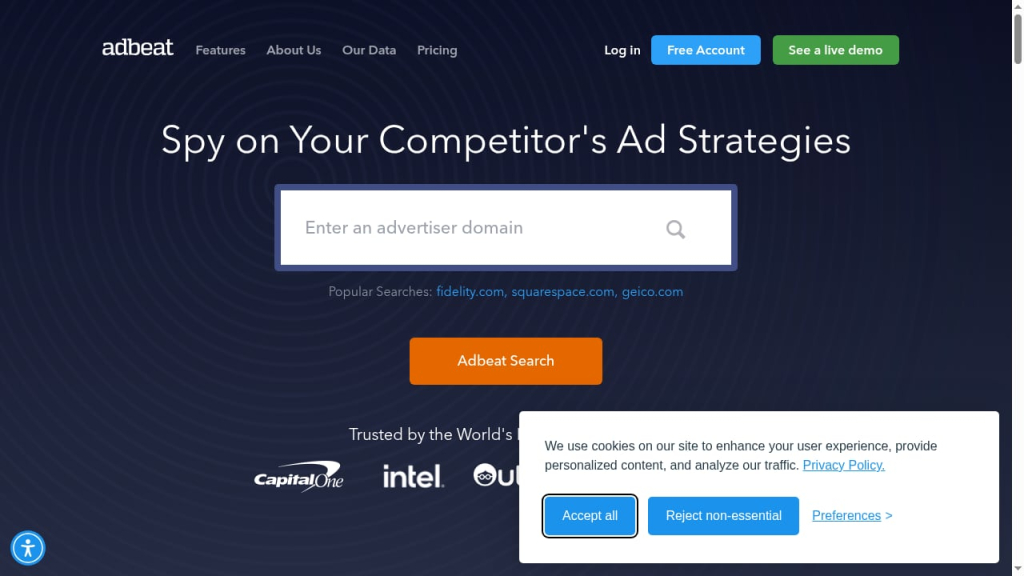
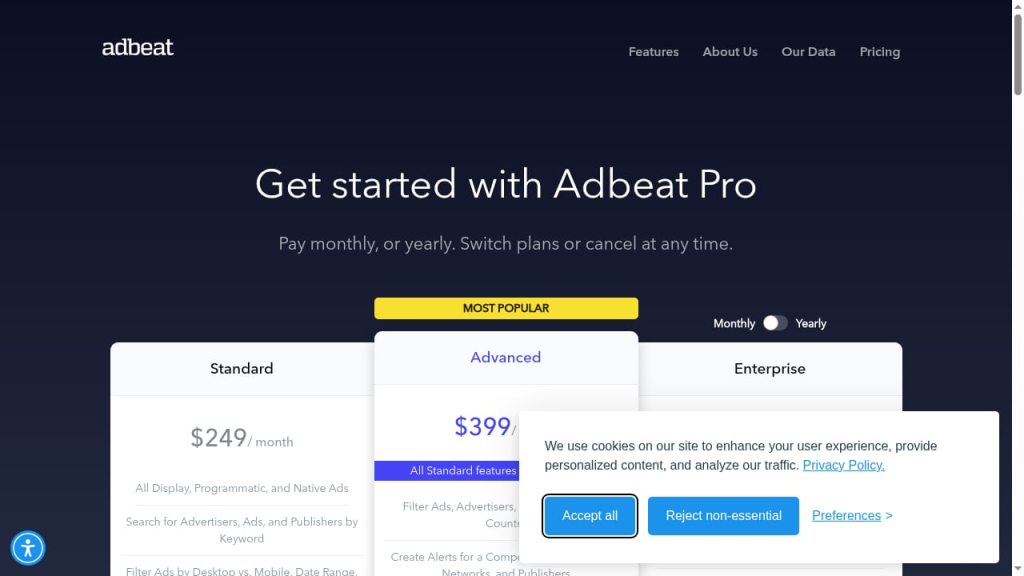
First viewport screenshot of adbeat.com.
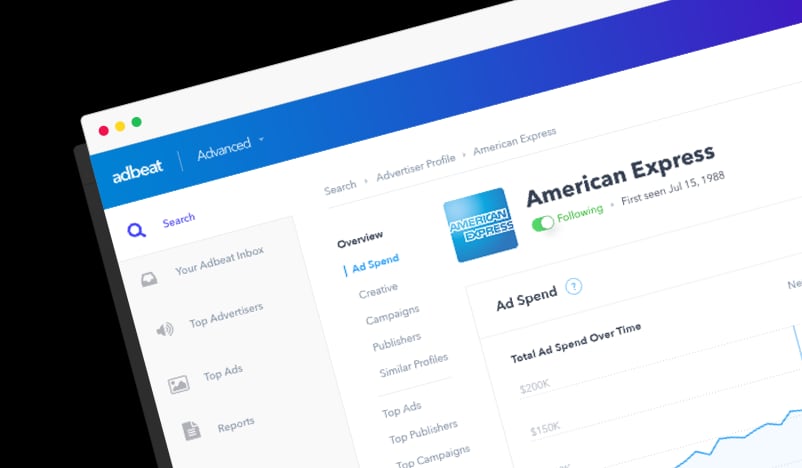
Adbeat is a competitive intelligence platform focused on display and native advertising. It crawls ad placements across a large network footprint — the product context cites 151 display networks — and organizes that data into advertiser profiles, publisher placements, creatives, and landing pages. You can search by brand, keyword, or publisher, then drill into desktop versus mobile activity, direct buys, pre-roll video ads, and estimated ad spend.
In practical terms, you use it to answer questions like:
- Which publishers does a competitor buy most heavily, and on which devices?
- What creative formats and copy angles are they rotating right now?
- Where do their ads send traffic, and what does that landing page look like?
- How has their activity changed over the past 12 to 36 months?
Key Features and How They Work in Practice
Advertiser and publisher profiles
Type in a brand and Adbeat assembles a profile showing ad channels, standard and native ads, landing pages, and creative examples. A similar-advertisers view helps you find brands you hadn’t thought to track. For publisher research, you can see which advertisers buy on a given site — useful if you’re evaluating a placement or negotiating a direct deal.
Creative and landing page library
The Ad Locker lets you save ads you want to revisit. This is the most immediately useful feature for most teams: building a swipe file of competitor creatives and the landing pages they point to. It won’t tell you which ad converted, but it shows you what’s actively running, which is a reasonable proxy for what a competitor is willing to keep funding.
Spend estimates and placement data
Adbeat provides estimated ad spend and publisher placement insights. Treat these as directional signals, not accounting-grade numbers. Third-party estimation of display spend is inherently modeled, and reviewers have questioned data accuracy at the edges. Use spend data to compare relative intensity between competitors, not to reverse-engineer an exact budget.
Filters, reports, and alerts
Advanced reporting tools, downloadable reports, ad density views, ad paths and tags, and alerts round out the workflow. Alerts are underrated: setting them on two or three key competitors turns Adbeat from a research tool you check occasionally into a monitoring system that surfaces changes in creative or placement strategy.
API access
Adbeat offers an API with pay-as-you-go access, which matters if you want to pipe competitive data into dashboards or internal tooling rather than living inside the web interface.
Who Adbeat Is Best For
Adbeat fits teams that already spend meaningfully on display and need to justify each incremental dollar. Based on the product’s positioning and third-party reviews, the strongest fits are:
- Media buyers and agencies managing display budgets for multiple clients who need fast competitive benchmarks and creative inspiration.
- Affiliate marketers in competitive verticals where publisher-level placement data can reveal profitable inventory.
- In-house performance teams at brands spending several thousand dollars a month or more on display, where a few hundred dollars for intelligence is a small fraction of media spend.
- Publishers and ad networks researching which advertisers buy on which sites, useful for sales conversations and inventory positioning.
Small businesses, solopreneurs, and teams with modest display budgets are a weaker fit. At $249–$399 per month, the tool needs to influence a budget large enough for the insights to pay for themselves.
Strengths
- Broad network coverage across display and native, desktop and mobile, including direct buys and pre-roll video.
- Useful creative and landing page visibility — the fastest path to understanding a competitor’s messaging and offer strategy.
- Publisher-level placement data, which is harder to find than creative examples and more actionable for media planning.
- Up to 36 months of history on higher tiers, enabling trend analysis rather than a single snapshot.
- Straightforward interface. Multiple reviews note the dashboard is easy to learn, which lowers onboarding friction for junior team members.
- API option for teams that want data outside the UI.
Limitations to Weigh Before Buying
- Estimated spend is modeled, not reported. Expect directional accuracy, not precision. Cross-check large conclusions against other signals.
- Tier gating is significant. Lower tiers cap search results and data history; features like advertiser comparison and direct-buy visibility sit on higher plans. Budget for the tier that actually includes what you need, not the entry price.
- Coverage skews toward larger advertisers. Smaller or niche advertisers may have thin data, which limits usefulness if your competitive set is made up of small brands.
- No conversion data. You can see what’s running, not what’s working. Creative and placement data still require your judgment.
- Free access is limited. A free or basic entry point exists for exploring the interface, but serious competitive research requires a paid plan.
- Pricing has shifted over time. Plan structures and entry prices have changed, so confirm current terms directly rather than relying on older reviews.
Pricing Signals
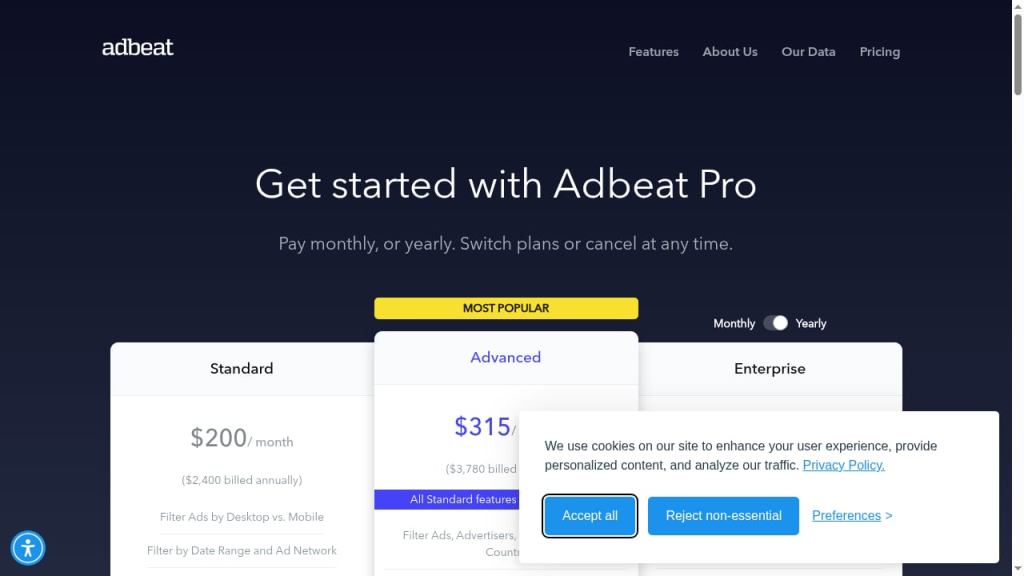
Adbeat’s published tiers, per the product context, are:
| Plan | Price | Best for |
|---|---|---|
| Standard | $249/month | Teams needing core creative, placement, and reporting features with capped search results and shorter data history |
| Advanced | $399/month | Teams needing deeper history, unlimited or expanded results, advertiser comparison, and direct-buy visibility |
| Enterprise | Custom | Larger organizations needing benchmarking, broader access, and custom terms |
| API | Pay-as-you-go | Teams integrating data into their own systems |
A simple rule of thumb from third-party reviews: if you’re spending roughly $5,000 or more per month on display, the cost is easy to justify. If you’re spending a few hundred dollars a month, the math rarely works. Also compare the Standard tier carefully against the Advanced tier — the jump in capability is often worth more than the price difference, and reviewers have argued the entry tier is the weakest value in the lineup.
Setup and First-Week Workflow
Getting started is quick: confirm your email, set a password, and you’re in the dashboard. A practical first week looks like this:
- Build a competitor list of 5–10 brands, mixing direct competitors with adjacent brands whose display strategy you admire.
- Save 20–30 creatives to the Ad Locker across formats and devices, noting the offer and call to action for each.
- Map top publishers for your two closest competitors and compare overlap — shared placements are a signal of proven inventory.
- Review landing pages for the ads you saved and note structural patterns: lead capture, pricing visibility, social proof.
- Set alerts on your top three competitors so changes surface automatically.
- Export a baseline report so you can measure shifts in placement and creative strategy over the next quarter.
This workflow turns a broad dataset into a short list of decisions: which publishers to test, which creative angles to adapt, and which landing page patterns to borrow.
How to Decide If Adbeat Is Right for You
Work through these questions before subscribing:
- What is your monthly display budget? Below roughly $5,000, the ROI case is weak. Above it, the tool is a small line item relative to media spend.
- What decision will the data change? If you can name specific decisions — publisher tests, creative refreshes, landing page rebuilds — the tool has a job. If not, you’re buying a research toy.
- Which tier do you actually need? Check whether your must-have features (history depth, advertiser comparison, direct buys) sit on Standard or Advanced. Price the tier you need, not the one advertised first.
- How important is publisher-level data? If creative inspiration is all you need, lighter tools may suffice. If placement intelligence drives your media plan, Adbeat’s depth is the differentiator.
- Do you need programmatic access? If your team works in dashboards, the API is optional. If you’re building internal reporting, the pay-as-you-go API changes the calculus.
FAQ
Is Adbeat worth the money?
For teams spending several thousand dollars a month or more on display advertising, yes — the creative, placement, and spend signals can inform decisions worth far more than the subscription. For small advertisers, the cost is hard to justify against the value of the data.
Does Adbeat offer a free plan?
There has been a free or basic entry point for exploring the interface, but full competitive research — spend data, deeper history, advanced filters — requires a paid plan. Confirm current availability on Adbeat’s site, since plans change.
How accurate is Adbeat’s ad spend data?
Treat it as an estimate. Third-party platforms model spend from observed placements and known rate ranges, so figures are directional. Use them to compare competitors’ relative intensity, not to reconstruct exact budgets.
What’s the difference between the Standard and Advanced plans?
The Standard plan at $249/month covers core features with capped search results and shorter data history. The Advanced plan at $399/month adds deeper history, expanded results, advertiser comparison, and direct-buy visibility. Enterprise adds custom benchmarking and terms.
Can Adbeat show me which ads are converting?
No. Adbeat shows which ads are running and where they point, not conversion outcomes. You still need your own testing to determine what performs.
Who are Adbeat’s main competitors?
The competitive intelligence space includes several ad intelligence and PPC research platforms. The right comparison depends on whether you prioritize display placement data, creative libraries, or spend estimates — evaluate each against your specific workflow.
Conclusion
Adbeat is a focused, well-built display advertising intelligence tool with a clear value proposition: see what competitors are running, where they’re running it, and what it likely costs them. Its strengths — broad network coverage, creative and landing page visibility, publisher placement data, and long history — are real. Its limitations — modeled spend figures, tier gating, and a price point that only makes sense for meaningful display budgets — are equally real.
If you’re a media buyer, agency, or performance team spending enough on display that a single better publisher decision pays for the subscription, Adbeat deserves a serious trial. If you’re a small advertiser hoping for a cheap edge, put the money into testing instead.