A Practical Guide to Using AI-Generated Images in Social Media Advertising
- Author
- PrimeSpy Research Team
- Published
- Jul 22, 2026
- Updated
- Jul 28, 2026

Summary: AI-generated images can help social media teams create more visual variations, fight creative fatigue, and test campaign ideas faster. Readers can learn how to write stronger creative briefs, use AI tools like AI Imagine in a practical ad workflow, review image quality, and test AI visuals with real performance metrics.
Social media ads eat through visuals quickly.
A product image that looked fresh two weeks ago can start feeling invisible after the audience has seen it a few times. Creative fatigue is not a rare problem. It is part of running paid social. People scroll fast, platforms keep changing, and competitors are always testing new angles.
That is why AI-generated images are becoming useful for social media teams. They give marketers a faster way to create visual options, test ideas, and avoid waiting days or weeks for every new asset.
Still, AI image generation is not a shortcut around strategy. If the idea is weak, the image will usually be weak too. A pretty picture does not automatically become a good ad. The best results come when marketers use AI with a clear brief, a real audience in mind, and a testing process behind it.
This guide walks through how to use AI-generated images for social media advertising in a practical way.
What AI image generators can do for social media ads
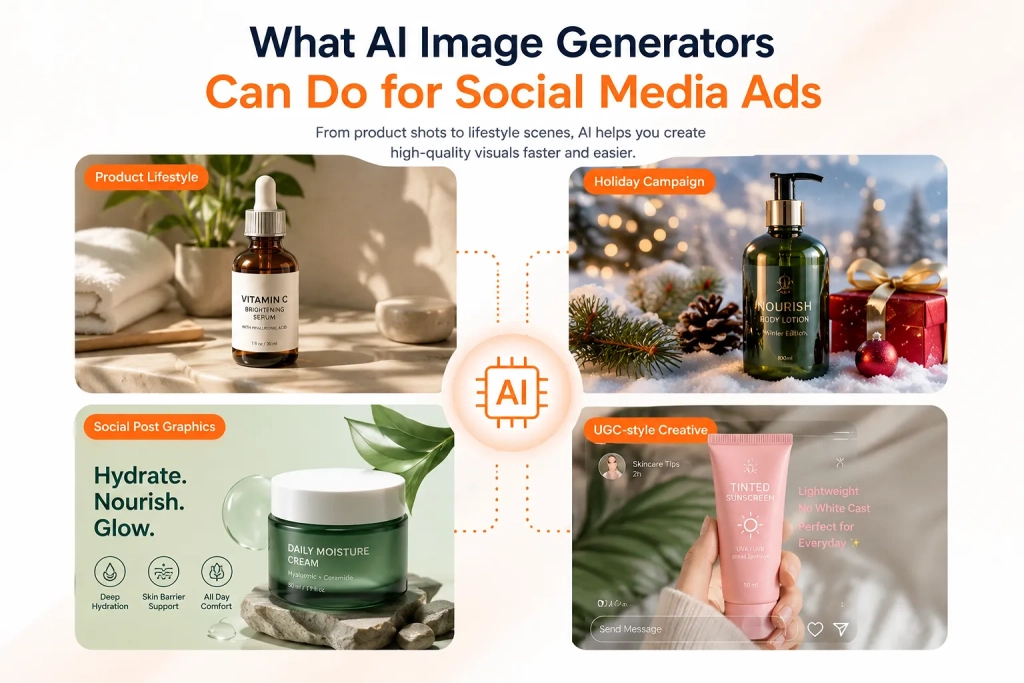
AI image generators are especially useful when a campaign needs more visual variety.
For example, an e-commerce brand might want to show the same product in different scenes: on a bathroom counter, inside a gym bag, on a work desk, or in a holiday setup. A beauty brand might test clean studio shots against casual lifestyle images. A software company might use AI images to create simple visual metaphors for speed, focus, or automation.
In paid social, AI-generated images can help with:
- Product lifestyle images
- Ad backgrounds
- Seasonal campaign visuals
- Social post graphics
- UGC-style creative concepts
- Thumbnail ideas
- A/B test variations
- Background removal and image cleanup
The main benefit is speed. Instead of producing one image and hoping it works, a team can create several versions around the same campaign idea. One version can focus on the product. Another can show the customer problem. Another can feel more native to TikTok or Instagram.
That does not mean every AI-generated image should go straight into an ad account. The better workflow is to use AI for creative exploration, then review, edit, and test the strongest options. AI gives you more starting points. Your job is to decide which ones are clear, believable, and worth spending money on.
Start with a clear creative brief, not a random prompt
A lot of bad AI ad images start with vague prompts.
Someone types “create an ad image for a skincare product” and gets a polished but generic result. It might look fine at first glance, but it probably will not say much about the product, the audience, or the reason someone should care.
Before using an AI image tool, write a short creative brief. It does not need to be complicated. It just needs to answer a few practical questions:
- What product or service are you promoting?
- Who is the ad for?
- What problem, desire, or moment should the image connect to?
- What is the main selling point?
- Where will the ad run?
- What visual style fits the platform?
- What should the image feel like?
- Are there brand or compliance rules to follow?
Compare these two prompts.
Weak prompt:
“Create an ad image for a skincare product.”
Better prompt:
“Create a realistic Instagram ad image for a hydrating facial serum. Show the serum bottle on a bright bathroom shelf with soft morning light. The image should feel fresh, simple, and premium. The audience is women aged 25 to 40 who want an easy daily skincare routine.”
The second prompt gives the AI something to work with. It includes the product, audience, scene, platform, mood, and positioning. That makes the output more likely to be useful as an ad image, not just a nice-looking picture.
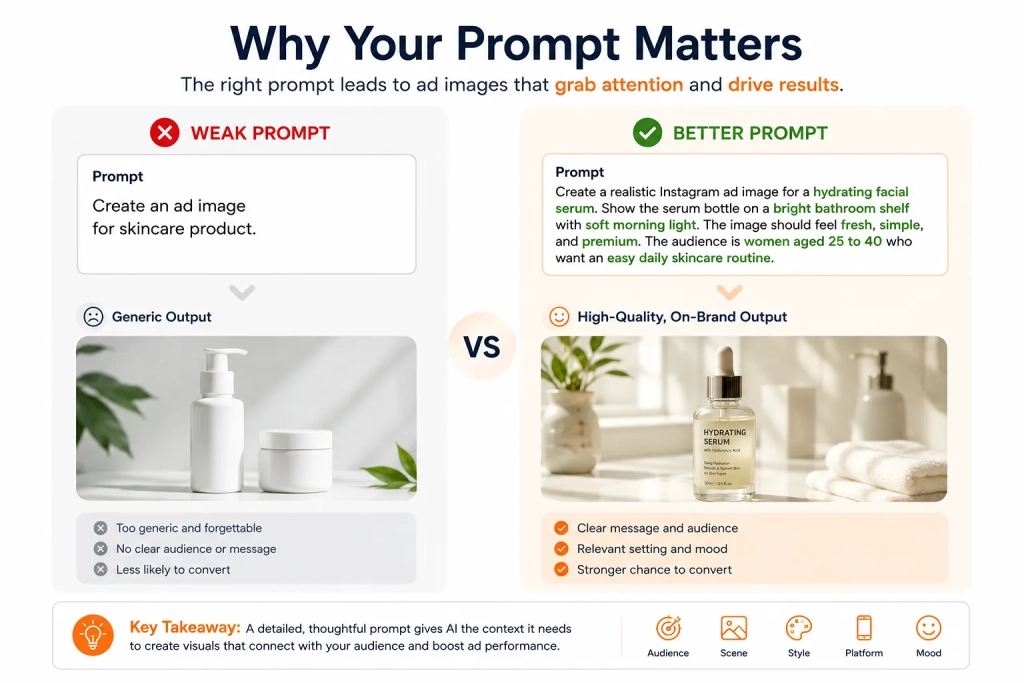
A simple prompt formula is:
Product + audience + scene + style + platform + mood
For example:
“Wireless earbuds for busy commuters, shown on a subway platform, realistic lifestyle photography, Instagram feed ad, modern and energetic mood.”
Once you have that structure, creating variations becomes easier. You can keep the product and audience the same while changing the scene, color palette, season, or composition.
How to use AI Imagine for social media ad images
After the creative brief is clear, the next step is turning it into usable visuals. For marketers who need fresh ad images quickly, an AI image generator for social media ads like AI Imagine can help create and refine images for campaigns, product promotions, and social content.
This is where AI fits nicely into a paid social workflow. Most ad teams do not need just one image. They need options. They may need a lifestyle version, a cleaner product version, a seasonal version, a background variation, and a version that feels more casual for a platform like TikTok.
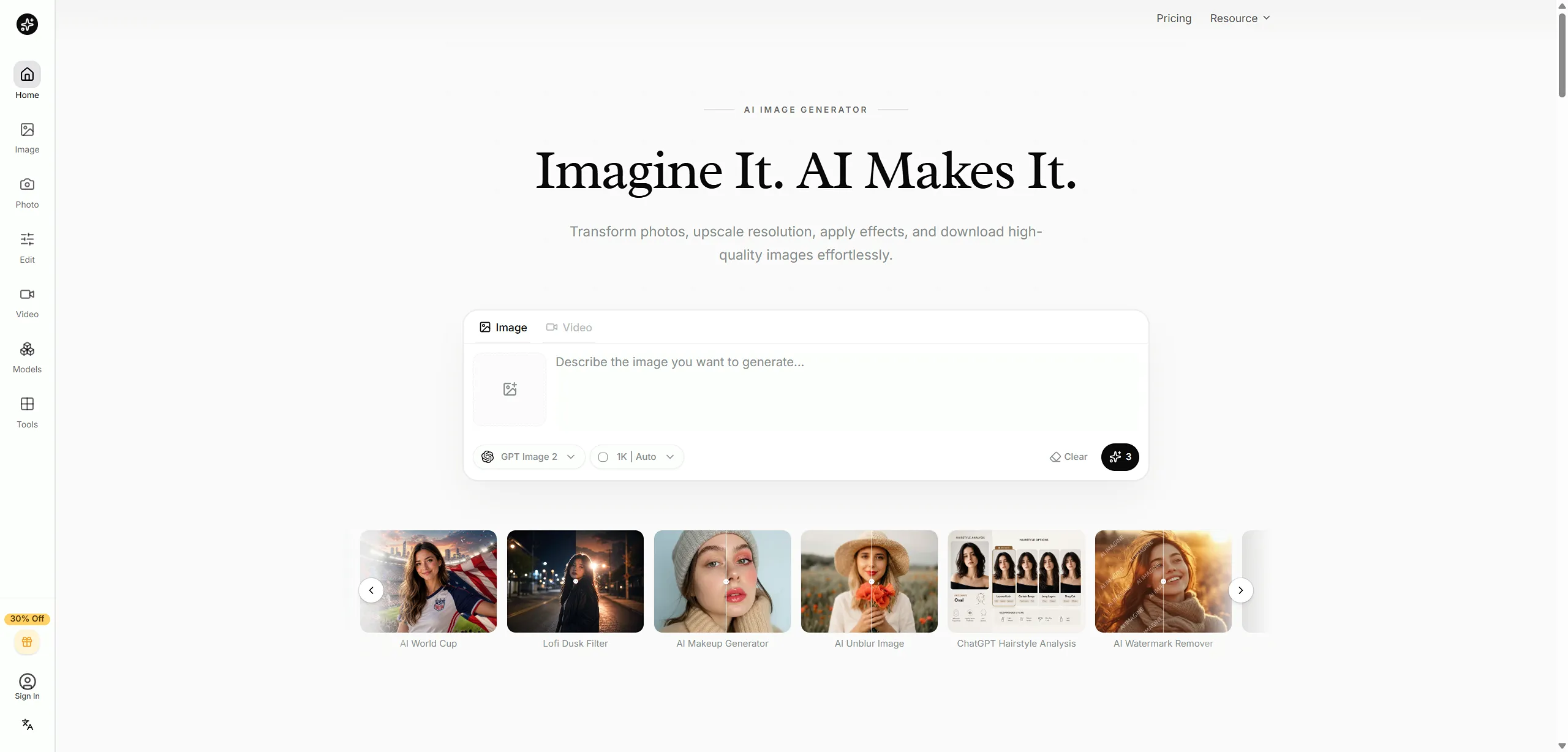
AI Imagine can be used in a few practical ways.
First, use it to create lifestyle visuals. If you sell a physical product, try placing it in different real-world contexts. A supplement brand could test a kitchen counter, gym locker, travel bag, or morning routine setup. A home decor brand could test different rooms, lighting styles, and seasonal looks.
Second, use it to build campaign-specific visuals. A summer sale, product launch, Black Friday offer, or holiday campaign may all need different creative treatments. AI-generated images make it easier to adapt one product angle to multiple moments.
Third, use it before committing to bigger production work. If your team is debating between a premium look, a casual UGC style, or a playful social-first direction, you can generate rough concepts first. That gives the team something concrete to react to before spending more time or budget.
Fourth, use editing features to improve existing assets. Sometimes you do not need a brand new image. You need a cleaner background, better image quality, a removed object, or a stronger version of an existing product shot.
The best way to use AI Imagine is as part of a repeatable process: write the brief, generate several directions, choose the strongest ones, clean up the details, then prepare them for testing.
Best practices for AI-generated social media ad creatives
AI can speed up production, but paid social still punishes lazy creative. If the image does not stop the scroll or explain the offer quickly, it will struggle.
Generate multiple versions. Social media performance is hard to predict. The image your team likes most may not be the one your audience clicks. Create a few variations around the same idea so you can compare them.
Keep the image easy to understand. A crowded visual can look impressive but fail in the feed. Most people will only give the ad a second or two. The product, use case, or main idea should be obvious.
Match the platform. A polished product image may work well on Instagram or Pinterest. A more casual image may feel more natural on TikTok. Facebook can handle a wider mix, but the image still needs to match the placement and audience.
Protect your brand style. AI can generate many looks, but not all of them belong to your brand. Watch the colors, lighting, product shape, tone, and overall quality. If every image feels like it came from a different company, the campaign will feel scattered.
Check the details closely. AI images can include strange hands, distorted packaging, unreadable text, odd shadows, or product details that are slightly wrong. These small mistakes can make an ad look untrustworthy.
Avoid overly generic visuals. Some AI-generated images have that smooth stock-photo feeling. They look polished but empty. Add details from your actual audience, product use case, or customer situation. Specificity usually feels more believable.
Most of all, make sure the image supports the offer. A strong ad visual should help the viewer understand the product faster, feel the problem more clearly, or become more curious about the message.
Test AI-generated images like real ad creatives
AI-generated images still need to prove themselves.
The goal is not to make more images for the sake of it. The goal is to learn which visual ideas produce better results.
When testing AI-generated images, try not to change everything at once. If one ad uses a different background, different product angle, different headline, and different audience, you will not know what caused the result. It is better to compare one major creative variable at a time.
For example, you could test the same product in three different scenes. Or you could test the same scene in three visual styles: clean studio, casual lifestyle, and UGC-inspired. The more controlled the test is, the easier it is to learn from it.
Useful metrics include:
- Click-through rate
- Cost per click
- Conversion rate
- Engagement rate
- Thumb-stop rate
- Cost per acquisition
- Creative fatigue speed
The results should feed back into your next round of prompts. If lifestyle images keep beating studio shots, write that into the next brief. If warm natural lighting performs better than dark premium visuals, use that as direction. If casual images get clicks but polished product images drive more sales, separate those roles in your funnel.
A better next prompt might look like this:
“Create five new ad image variations for a spring campaign. Use realistic home environments, warm natural lighting, and one clear product benefit. Keep the image simple and suitable for Instagram and Facebook feed placements.”
That prompt is stronger because it is based on performance, not guesswork.
Better AI images start with better ad ideas
AI-generated images can help social media marketers move faster and test more creative angles. That matters, especially when platforms reward fresh creative and audiences get tired of seeing the same visual too often.
But AI works best when the input is specific. Start with the audience. Clarify the offer. Choose the platform. Write a useful prompt. Generate several options. Review the details. Test the images in real campaigns. Then use the results to improve the next batch.
Tools like AI Imagine can help marketers turn campaign ideas into ad visuals much faster than a manual-only workflow. The stronger the brief, the better the output.
Before creating your next batch of AI-generated ad visuals, it can also help to study what is already working in your market. Ad intelligence tools like PrimeSpy let marketers explore competitor ads, spot creative patterns, and find inspiration across social platforms. Those insights can become stronger prompts, sharper creative briefs, and better AI-generated images for future campaigns.