Meta Ads Library 101: How to Use It for Competitor Research and Better Ads
- Author
- PrimeSpy Research Team
- Published
- Jun 29, 2026
- Updated
- Jul 31, 2026

Summary: Meta Ads Library can reveal competitor messaging patterns, creative angles, offers, and landing page strategies when used beyond basic ad browsing. This guide explains how to search, interpret signals, avoid overreading active ads, and turn market patterns into testable campaign ideas.
Meta Ads Library is one of the easiest ways to see what your competitors are running on Facebook and Instagram. That ease is also the problem.
You can search a brand, scroll through its active ads, save a few screenshots and feel like you have done competitor research. But most of the time, you have only collected ads. You still do not know which ads matter, which ones are tests, which ones are seasonal, and which ones are worth turning into your own creative hypothesis.
That is the better way to use Meta Ads Library: not as a place to copy ads, but as a way to read market behavior.
This guide covers how to search Meta Ads Library, what you can and cannot learn from it, how to judge competitor ads, and when to use other ad research tools.
What the Meta Ads Library actually is?
The Meta Ads Library is a public, searchable database of ads running across Meta technologies. It started as a transparency product, especially for political and social issue advertising, but marketers now use it every day to understand how brands advertise on Facebook, Instagram, and other Meta placements.
It is often still called the Facebook Ad Library because that was the older and more familiar name, but today it covers more than Facebook ads.
You can access it through the official Meta Ads Library page.
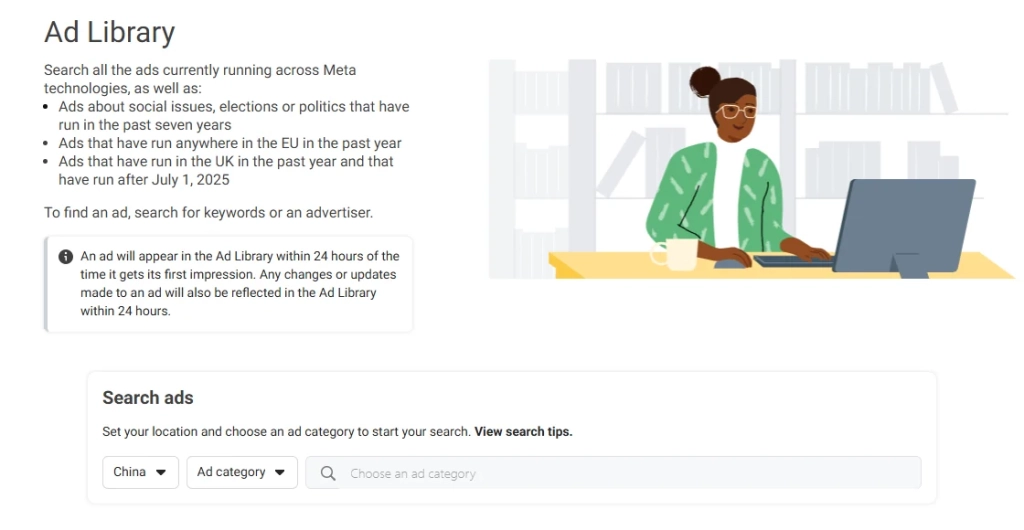
The simplest path is:
- Go to the Meta Ads Library page.
- Choose your country or region.
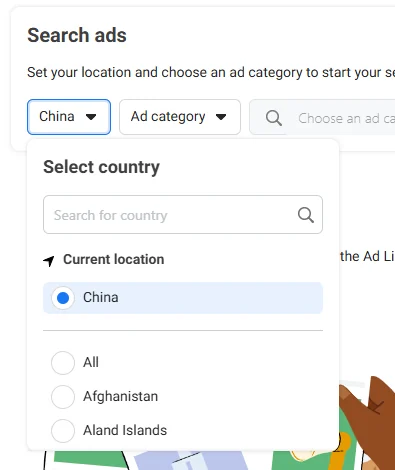
- Choose an ad category, usually “All ads” for commercial research.
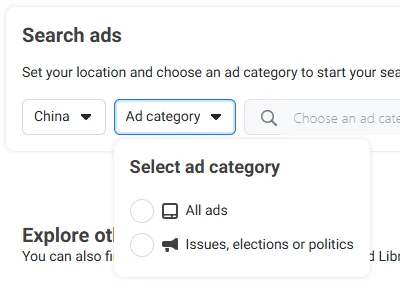
- Search by advertiser name, Facebook page name or keyword.
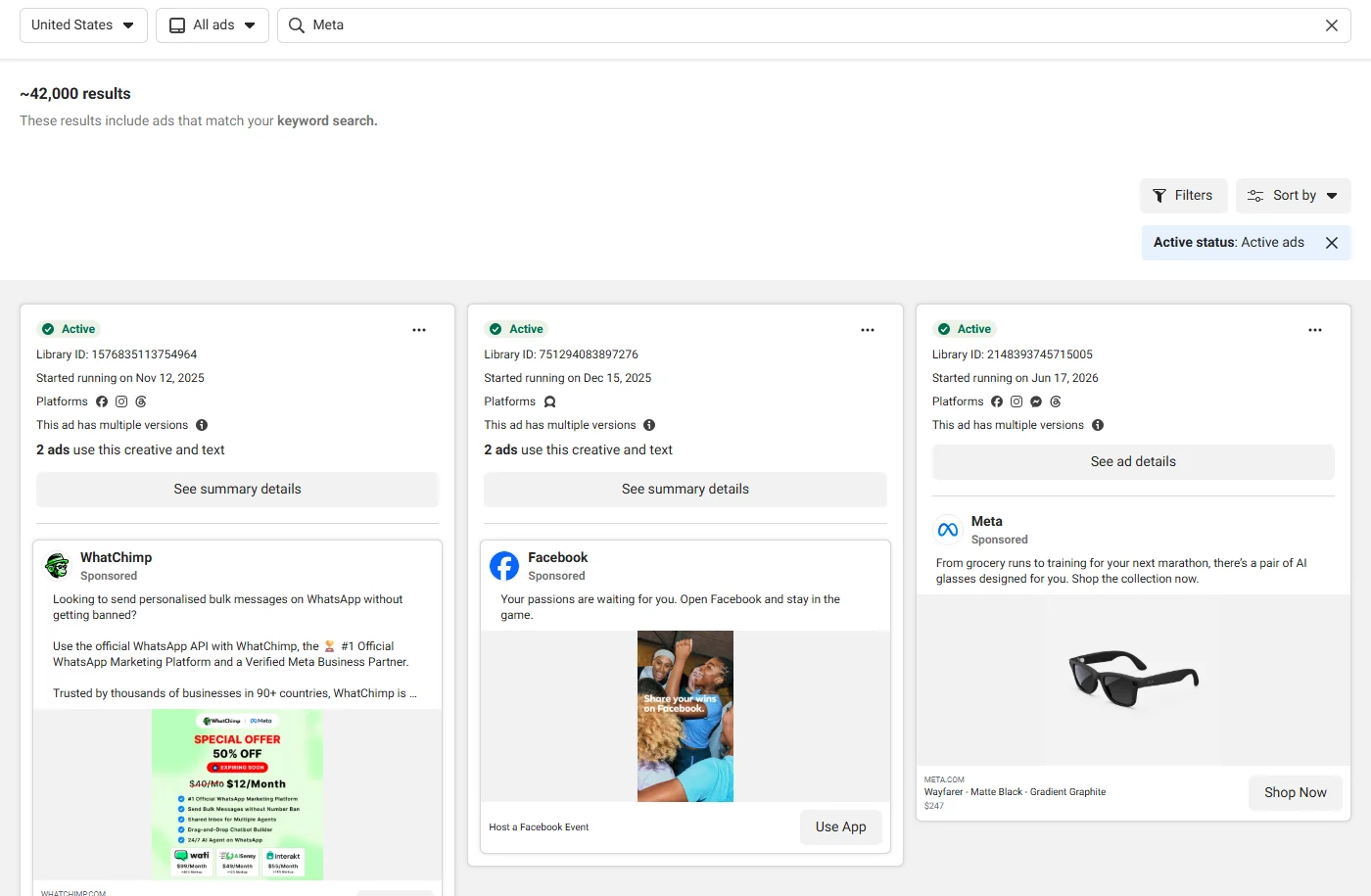
You can also reach it from a Facebook Page in some cases by going to the page transparency or ad-related information area, but the direct Ad Library URL is usually faster.
What you can see in Meta Ads Library
Meta Ads Library gives you a useful snapshot of what an advertiser is running. Depending on the ad type and region, you can usually inspect:
- Active ads
- Ad copy and creative
- Advertiser page
- Ad start date
- Platform or placement information
- Media type or ad format
- Branded content details in some cases
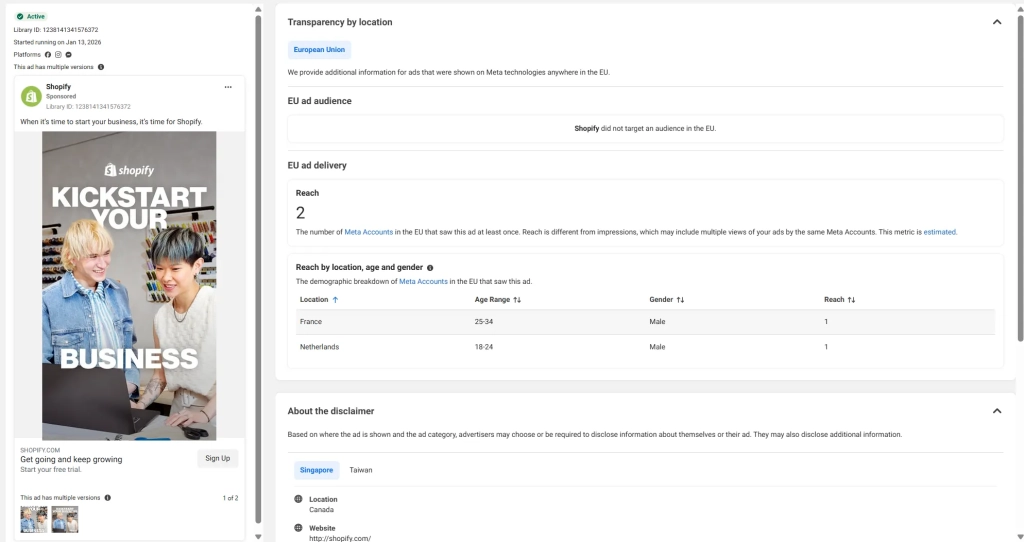
- Extra transparency data for political ads, social issue ads and some regional ads
For normal commercial ads, this is enough to spot patterns in messaging, format, offer and funnel direction. It is not enough to prove performance.
What Meta Ads Library does not tell you
The library is not a performance dashboard.
For most commercial ads, it will not show you:
- Exact ad spend
- Exact budget
- CTR
- CPC
- CPA
- ROAS
- Conversion rate
- Revenue
- Profitability
- Precise audience targeting
- Full campaign structure
- Whether an ad is scaling profitably
That limitation matters because it changes how you should read everything you find.
The Meta Ads Library can show you what a competitor is testing, repeating, or leaving live. It cannot prove which ads are making money. That behavior can tell you a lot, as long as you do not pretend it tells you everything.
When to use the Ad Library Report or Ad Library API
For most competitor research, the regular Meta Ads Library is enough. It lets you search advertisers, keywords, active ads, formats, platforms and landing pages.
The Ad Library Report is useful when you are researching ads about social issues, elections or politics. It gives an aggregated view of spending and activity by country and time period, and it can be used to download report data for transparency research.
The Ad Library API is better for technical research. It lets approved users run customized searches against archived ads and pull structured fields such as page name, ad delivery dates, publisher platforms and ad snapshot URLs. Some fields, including spend ranges, impressions or demographic reach, are only available for certain ad categories or regions.
If you are doing normal commercial competitor research, start with the Meta Ads Library. If you need political ad transparency data, use the Ad Library Report. If you need repeatable or large scale data collection, look at the Ad Library API.
Why the Meta Ads Library still matters in 2026
Most marketers open the Meta Ads Library because they want to see what competitors are running. That is still useful, but the real value in 2026 is not finding an ad to copy.
Paid social has become more automated, creative production is faster, and AI-assisted variations are becoming easier to produce. The result is more noise: more ads, more versions, more short-lived tests, and more surface-level inspiration. The Meta Ads Library still matters because it helps you see the public layer of your market — what brands keep saying, which offers they repeat, what proof points they rely on, and how they connect ads to landing pages.
Used well, it helps you answer better questions:
- What messages are competitors repeating?
A single ad may not mean much. But when several ads repeat the same pain point, promise, offer, or proof type, that pattern is worth studying.
- Which creative angles are becoming category norms?
You can spot whether your market is moving toward UGC demos, founder-led videos, expert proof, before-and-after claims, comparison ads, quizzes, bundles, or discount-led campaigns.
- Where is the difference between signal and noise?
Active ads are not always winning ads. Some are small-budget tests, retargeting ads, seasonal promotions, or creative variations. Stronger signals come from repeated ideas, multiple versions, long run time, and ad-to-landing-page alignment.
- What are competitors not saying?
The library can reveal white space: objections nobody answers, proof nobody shows, formats nobody tests, or customer segments that competitors overlook.
- What should your team test next?
The best use of the Meta Ads Library is not building a swipe file. It is turning repeated market patterns into creative hypotheses your team can actually test.
How to search the Meta Ads Library without wasting time?
Most people begin with a competitor’s brand name. That is fine. It is also just the first inch of the work. Better research starts before you open the tool. Decide which brands and which customer problems you want to study.
Search by advertiser name
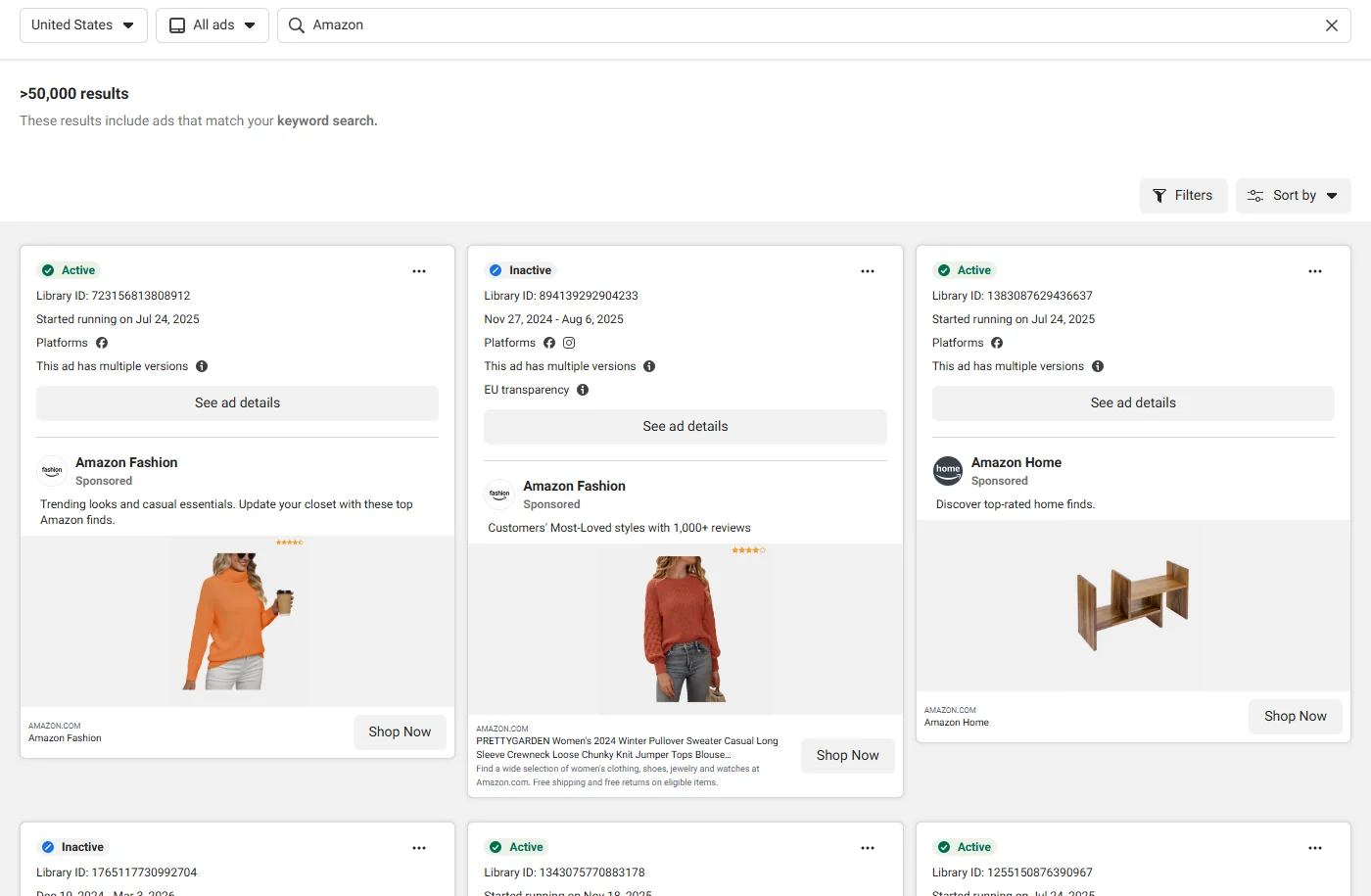
Use advertiser search when you want to understand one brand’s current ad strategy.
Search for a competitor’s brand name or Facebook page name. Then look beyond the surface creative. Ask:
- What are they promoting right now?
- Which products get the most creative attention?
- Are they repeating the same hook?
- Are they using one core offer or several?
- Do the ads point to one landing page or multiple funnels?
- Are they running mostly video, static image, carousel or Reels style ads?
- This is the cleanest way to study direct competitors.
Search by keyword
Keyword search is better when you want to understand the wider market, not just one company.
Try terms connected to buyer problems, offers and proof:
- “save time”
- “reduce costs”
- “increase ROAS”
- “free trial”
- “book a demo”
- “testimonial”
- “before and after”
- “AI ads”
- “creative analytics”
- “Facebook ads”
Keyword search helps you find category patterns. You may discover brands you did not know, offers that keep repeating, or messaging gaps your competitors have missed.
Filter by active vs inactive ads
Active ads show what a brand is running now. Inactive ads show campaign history.
Neither proves performance by itself.
Use active ads to understand current positioning. Use inactive ads to spot past campaigns, seasonal pushes, creative tests and messages a brand may have moved away from.
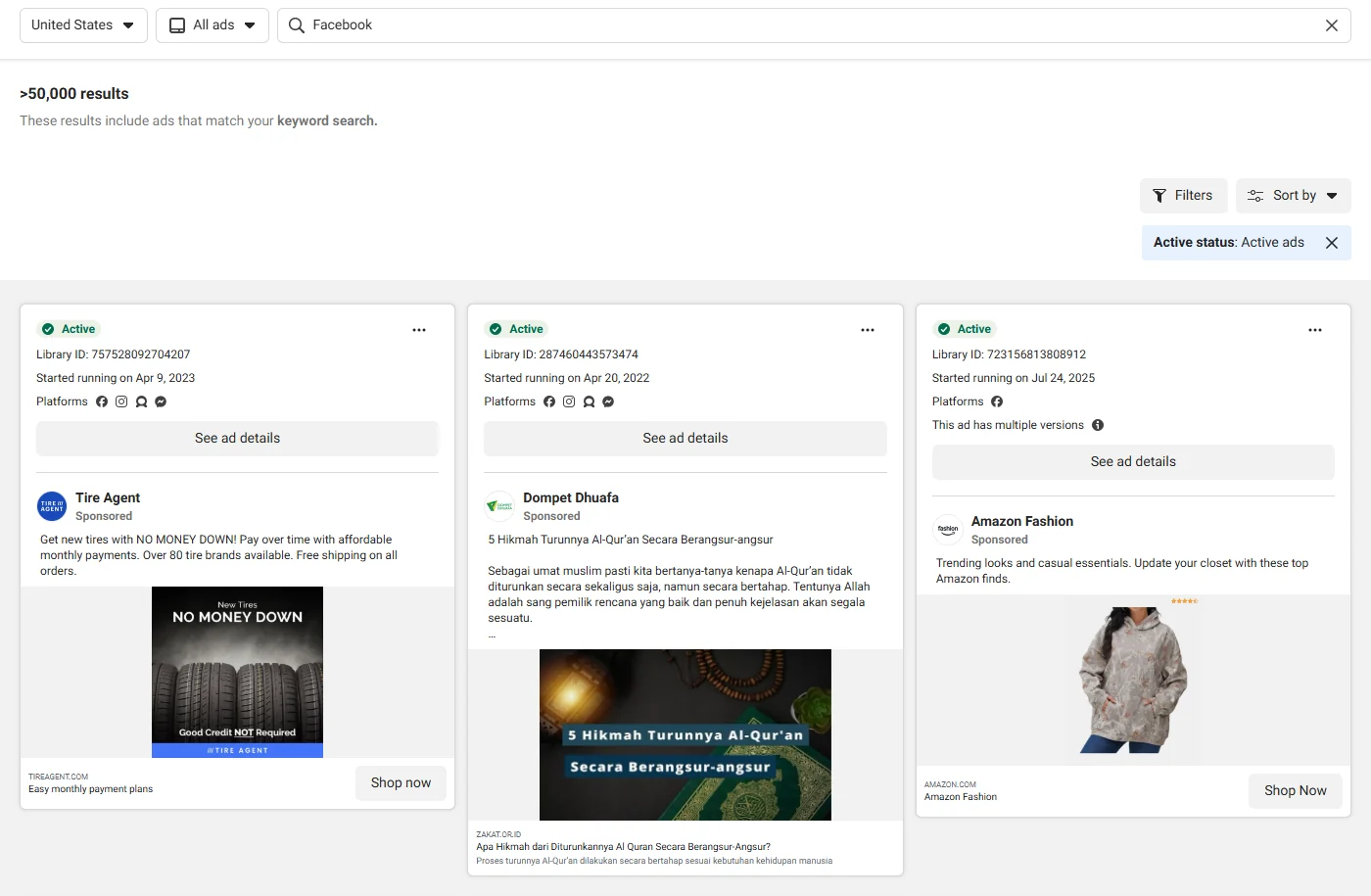
A practical way to think about it:
| Ad status | What it can tell you | What it cannot prove |
|---|---|---|
| Active ads | Current offers, live creative, current messaging | Profitability or scale |
| Inactive ads | Past campaigns, seasonal ideas, previous tests | Failure or poor performance |
The mistake is assuming active means good and inactive means bad. The library does not give you enough data for that.
Filter by platform
Platform filters help you see whether a brand changes creative across Facebook, Instagram, Messenger or other Meta placements.
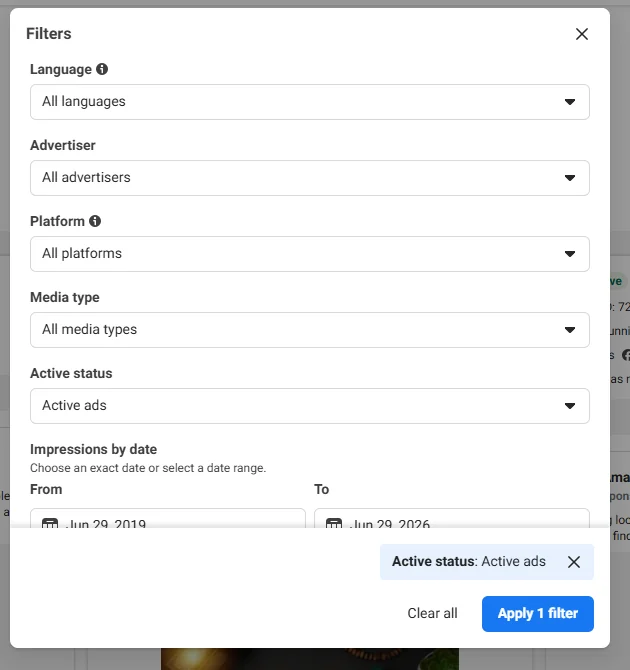
Look for differences in:
- Opening visual
- Copy length
- CTA
- Video pacing
- Aspect ratio
- Use of captions
- Product demo style
- UGC or creator style execution
A message that works in a Facebook feed ad may need a faster visual hook in Reels or Stories style placements. The platform filter helps you see whether competitors are adapting the idea or just pushing the same asset everywhere.
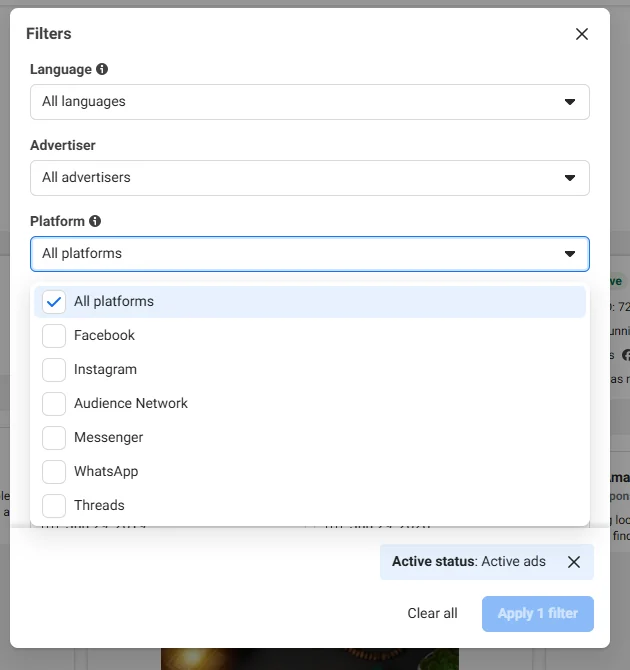
Filter by media type or ad format
Media type filters help you compare how competitors use static images, videos, carousels, Reels style creatives and link ads.
Do not stop at “they use video.” Ask what type of message they put into each format.
For example:
- Testimonials often work better as video because a real person can carry trust.
- Product comparisons often work well as carousels because buyers can move through points one by one.
- Simple offers often show up as static image ads because the message does not need much explanation.
- Founder led ads can work when the category has a trust problem.
- Demo ads can work when the product is hard to understand from copy alone.
The format tells you how the advertiser wants the buyer to process the message.
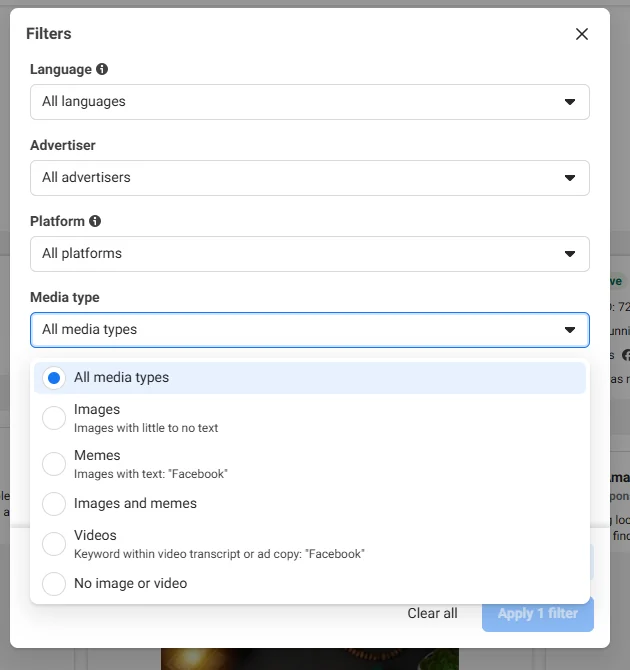
Filter by date or launch timing
Start dates can reveal seasonal pushes, product launches, evergreen campaigns and holiday offers.
A long-running ad deserves attention, but timing still matters. A Black Friday ad that ran for two weeks is not weak just because it stopped. A brand awareness ad that has run for months is not automatically profitable.
Look at timing with context:
- Did the ad start near a product launch?
- Did it run during a seasonal sales period?
- Did several ads with the same offer start on the same day?
- Did a new version replace an older one?
- Does the brand repeat a similar campaign every year?
Date signals are useful, but they need interpretation.
How to analyze competitor ads like a strategist?
Do not stop at screenshots. Once you find an ad worth studying, break it into parts. A useful ad analysis should answer five questions:
- What is the hook?
- What customer pain or desire does it target?
- What promise does it make?
- What proof does it use?
- What action does it ask the customer to take?
Start with the hook
The hook is the part of the ad designed to stop attention. It might be a line of copy, the first frame of a video, a pattern interrupt, a product demo, or a creator’s opening sentence.
Common hooks include:
- A pain statement
- A bold claim
- A before-and-after contrast
- A founder story
- A customer review
- A creator-style confession
- A product demo
- A comparison against an alternative
- A discount or limited-time offer
Do not only write down the words. Write down the job the hook is doing.
| Hook | Job |
|---|---|
| “Still waking up tired?” | Identifies a problem |
| “I replaced my $200 serum with this.” | Creates comparison and curiosity |
| “Dermatologists are talking about skin barrier repair.” | Borrows authority and trend energy |
The hook tells you what the brand believes will stop the customer.
Read the message underneath the format
After the hook, look at the full message.
Capture:
- Customer pain
- Desired outcome
- Product promise
- Reason to believe
- Objection being handled
- CTA
- Offer
A supplement ad may look like it is selling “magnesium.” Underneath, it may be selling better sleep, lower stress, muscle recovery, hormonal support, a cleaner alternative to melatonin, or a bedtime ritual. Same product. Different angle.
This is where many marketers miss the best part of the Meta Ads Library. They write “UGC video” in the research doc and move on.
Format is the container. The angle is the strategy.
Open the landing page
The ad is only half the clue.
Open the landing page and check whether the page continues the same promise. A strong ad-to-page match usually means the advertiser built a campaign around a specific idea. A weak match may mean the brand is sending traffic to a generic product page and hoping the page does the work.
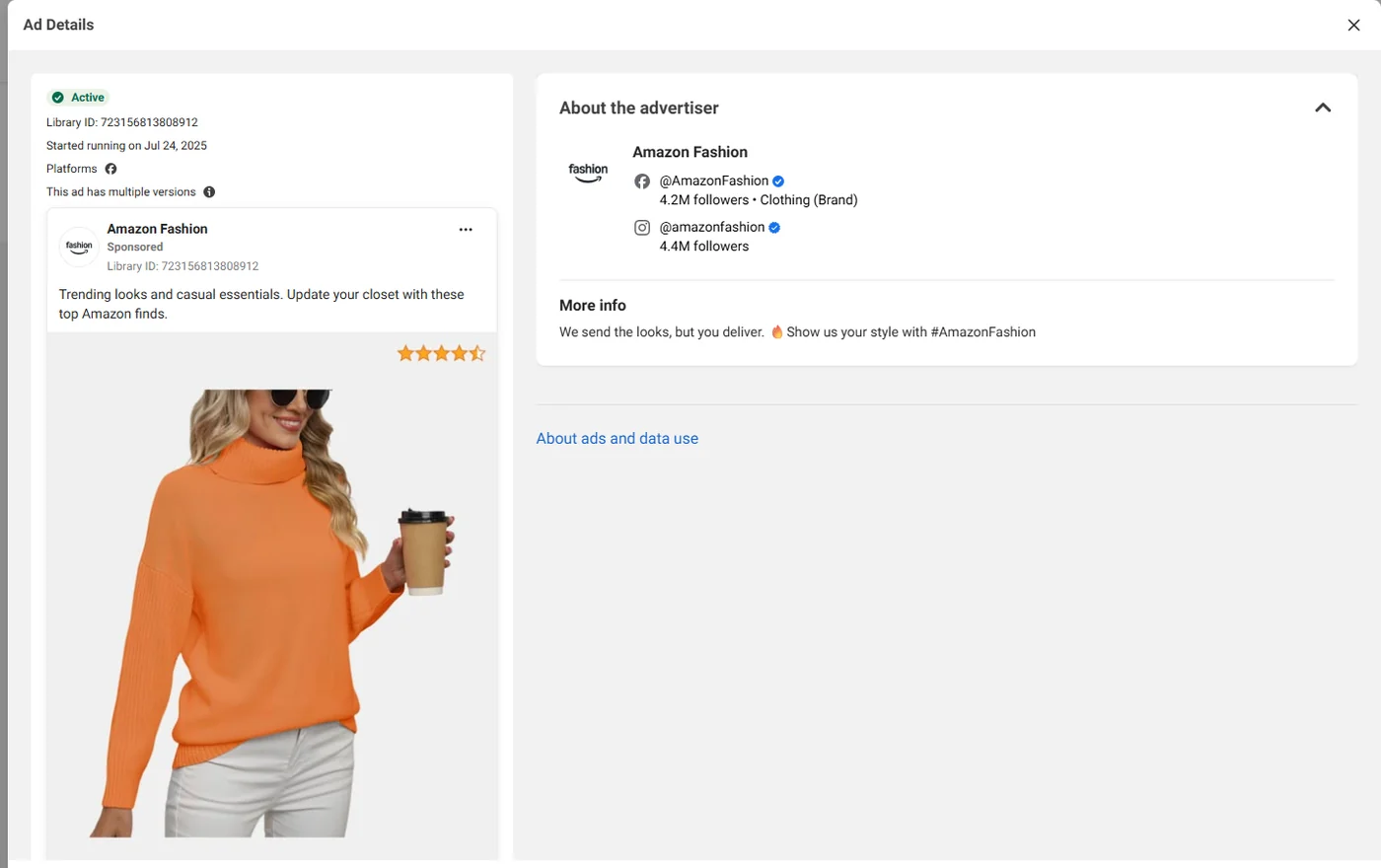
Look for:
- Whether the landing page headline repeats the ad promise
- Whether the same offer is visible above the fold
- Whether the proof supports the claim in the ad
- Whether the CTA stays consistent
- Whether the page is built for cold traffic, retargeting, comparison, lead capture, or direct sale
The ad shows how the brand gets attention. The landing page shows how the brand tries to convert that attention.
If the ad says “Find your perfect skincare routine” and the page sends visitors to a quiz, the strategy is quiz-led acquisition. If the ad says “Compare us to your current provider” and the page is a comparison page, the strategy is competitor displacement. If the ad says “Get 20% off your first bundle” and the page is a bundle page, the strategy may be AOV expansion.
Often, the landing page reveals more than the ad.
How to tell which ads are worth studying?
This is the part where the Meta Ads Library becomes useful, and occasionally dangerous.
Many marketers assume an active ad must be working.
That assumption is too neat.
Active ads are not always winning ads
An ad may be active because it is profitable. It may also be active because:
- It is a small-budget test
- It is a retargeting ad
- It supports an awareness campaign
- It is part of a seasonal promotion
- The brand has not cleaned up old campaigns
- The campaign objective is not direct sales
- The advertiser is testing many variations at low spend
- The ad is active but not meaningfully scaled
Treat “active” as a clue, not proof.
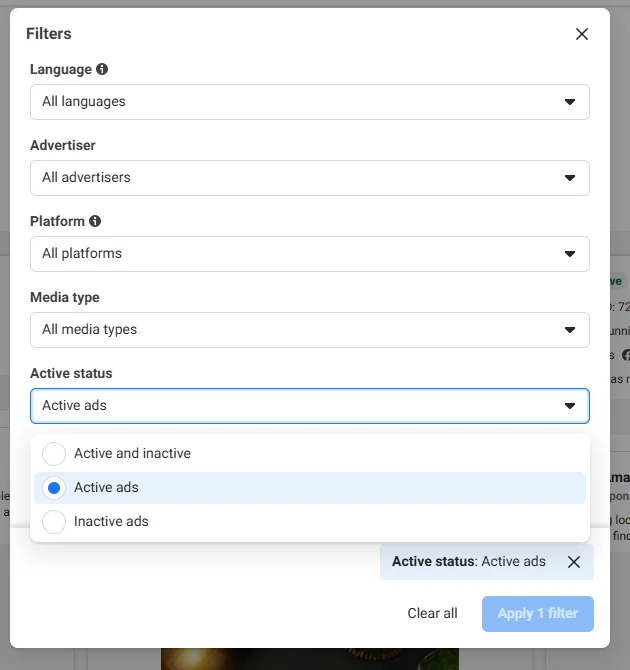
Long run time works the same way. A long-running ad is more interesting than a one-day test, but it still does not prove profitability. It might be running to a warm audience, supporting a brand campaign, or spending very little.
Use a signal stack instead.
Use a signal stack
Instead of asking whether one ad is active, look for several signals pointing in the same direction.
| Signal | What it may suggest |
|---|---|
| Long run time | The advertiser may have a reason to keep it live |
| Multiple variations | The brand may be testing or scaling the same concept |
| Same message across formats | The core angle may matter strategically |
| Dedicated landing page | The campaign may have stronger intent behind it |
| Repeated offer structure | The brand may trust the offer |
| Platform-specific creative | The advertiser may be adapting creative with more care |
| Same angle used by several competitors | The message may be a category-level signal |
No single signal proves performance. Several signals together can tell you which ads deserve closer analysis.
A single active UGC ad is not enough to copy. But if a competitor has five UGC variations around the same objection, all running for several weeks, all pointing to a dedicated landing page, and all using the same offer, that is worth studying.
Not because you know it is profitable. Because the pattern shows strategic intent.
A simple ad quality scorecard
Use this scorecard when deciding whether an ad belongs in your research file.
Give one point for each positive signal:
| Signal | Score |
|---|---|
| The ad has been running for a meaningful period | +1 |
| There are multiple variations of the same idea | +1 |
| The same angle appears across different formats | +1 |
| The landing page closely matches the ad promise | +1 |
| The ad addresses a clear customer objection | +1 |
| The offer is specific and easy to understand | +1 |
Subtract points for weak signals:
| Weak signal | Score |
|---|---|
| The ad looks purely seasonal or promotion-only | -1 |
| The ad has no clear customer insight | -1 |
| The landing page does not match the ad message | -1 |
| The ad relies only on a generic discount | -1 |
This is not a scientific scoring system. It is a way to slow down your judgment.
The best ads to study are not merely active. They are ads where the creative, offer, landing page, and repetition all seem to point in the same direction.
When to use other ad research tools?
Meta Ads Library is strong for creative research, competitor monitoring, offer mapping, funnel inspiration and market pattern recognition.
Use other paid ad spy tools or your own data when you need:
- Performance validation
- Spend estimates
- Creative analytics
- Post-click conversion analysis
- Cross-platform ad research
- Better swipe file organization
- Automated alerts for competitor activity
This is where paid ad spy tools like PrimeSpy, PiPiAds and BigSpy can be useful: not as a replacement for the Meta Ads Library, but as a way to organize findings, compare creatives more efficiently and connect ad examples to a broader research workflow.
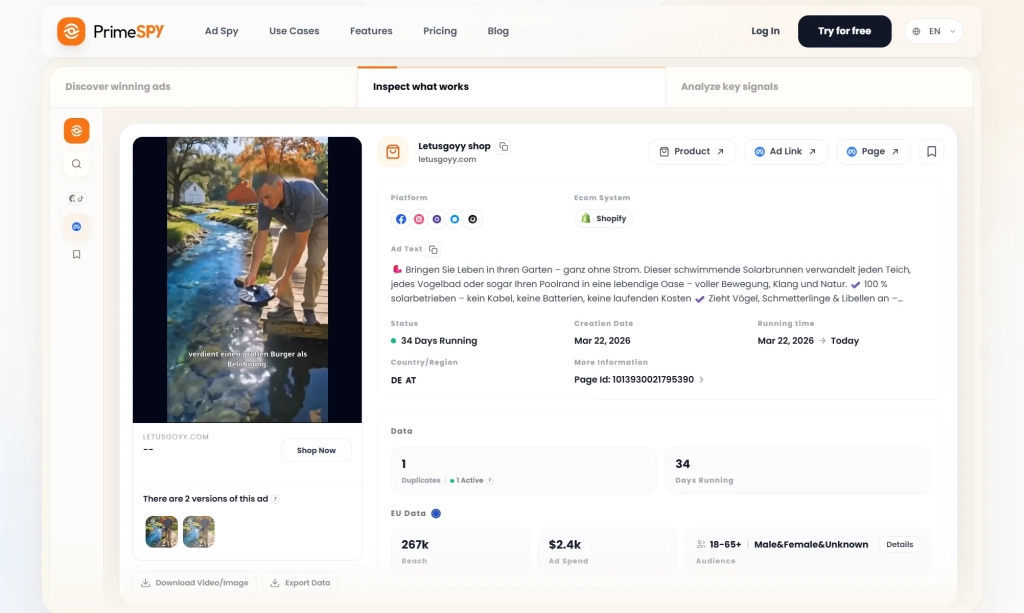
A useful workflow is simple: use Meta Ads Library to find patterns, then use your own campaigns to test whether those patterns work for your audience.
Final takeaway
The Facebook Meta Ads Library is one of the most useful free research tools in paid social, but it is also easy to overread.
- It does not show guaranteed winning ads.
- It does not reveal competitor ROAS.
- It does not tell you exact targeting.
- It does not replace your own testing.
What it does show is the visible layer of your market: hooks, offers, promises, formats, landing pages, and creative patterns that brands are putting in front of customers.
That is useful if you read it properly.
The best marketers do not use the Meta Ads Library to copy competitors. They use it to spot repeated signals, understand category behavior, find white space, and build better creative hypotheses.
In 2026, that is the advantage.
Not finding an ad to copy. Finding a sharper idea to test.
FAQs about Meta Ad Library
Is the Meta Ads Library free?
Yes. The Meta Ads Library is a free public tool that lets people search ads running across Meta technologies.
Is Meta Ads Library the same as Facebook Ads Library?
In most marketing conversations, yes. Many people still say “Facebook Ads Library” because that was the older name. Today, the tool is generally referred to as the Meta Ads Library or Meta Ad Library.
Can I see competitor ad spend in the Meta Ads Library?
For most standard commercial ads, you should not expect to see exact competitor spend. Some political, social issue, election-related, UK, or EU ads may include more transparency information, but the library should not be treated as a complete spend-reporting tool.
Can I see competitor targeting?
Usually no. The library does not reveal the precise audience targeting behind most commercial ads.
Does the Meta Ads Library show Instagram ads?
Yes. The Ad Library can show ads across Meta technologies, including Facebook and Instagram.
Can I use the Meta Ads Library to find winning ads?
You can use it to find ads worth studying, but not to prove which ads are winning. Active status, long run time, multiple variations, and landing page alignment are useful clues. They are not performance data.
What is the best way to use the Meta Ads Library?
Use it as a creative research and market-pattern tool. Study competitor hooks, offers, proof points, landing pages, and repeated themes. Then turn those observations into your own creative testing backlog.
Should I copy competitor ads from the Meta Ads Library?
No. Copying competitor ads is risky because you cannot see the hidden context behind their performance. Identify the strategic pattern behind an ad, then translate that pattern into a test that fits your own product, offer, audience, and brand positioning.